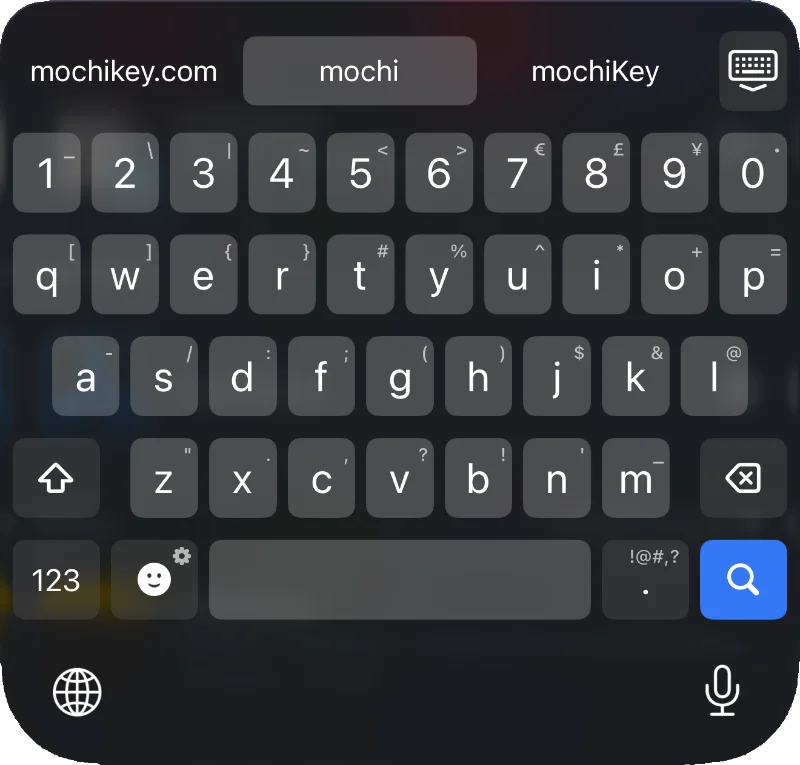
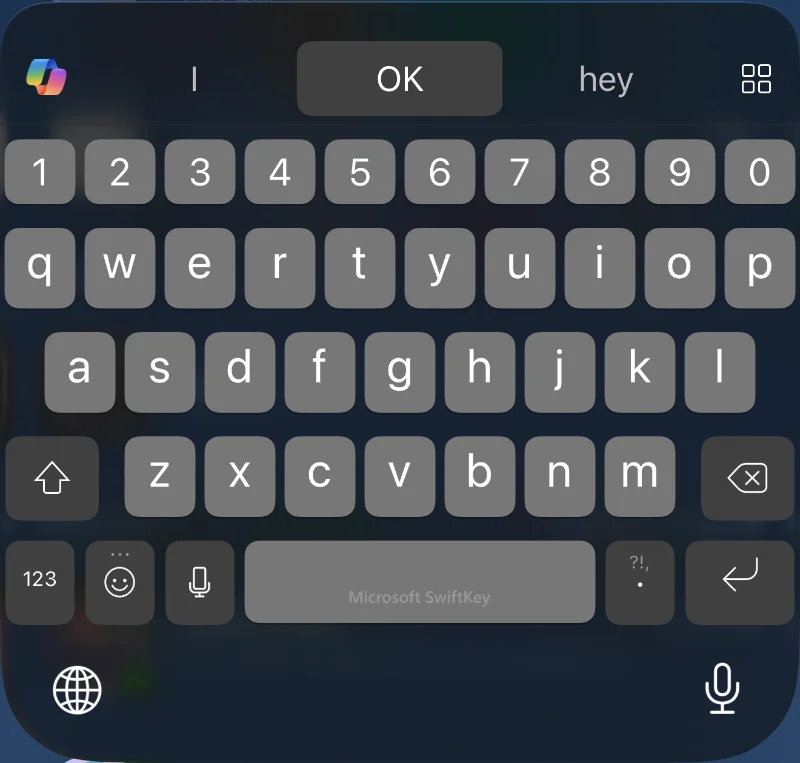
Comparison
mochiKey vs. SwiftKey for iOS
mochiKey is an advanced iOS keyboard designed to include many of the best features of SwiftKey while being privacy-first, natively designed, and fully tunable.
Below, you'll find a detailed analysis of how the two apps compare. Some features are intentionally left out, and some are still under development while we're in Beta.
| mochiKey | SwiftKey | |
|---|---|---|
| Typing Features | ||
| Prediction Predict what you're going to type next, based on conversation data and your personal typing habits. | ✓ Configurable |
✓ Always On |
| Prediction Tuning Disable sources in the Prediction Engine. | ✓ | ✕ |
| Autocorrect When enabled, select the center suggestion when tapping space, adding punctuation, or a new line. | ✓ Configurable |
✓ Configurable |
| Swipe Typing Type by swiping between characters, with an on-device neural model for advanced prediction. | ✓ Configurable |
✓ Configurable |
| Missing Space Correction Predict when you've missed the space bar for a phrase, up to four words long. | ✓ Configurable |
✓ Always On |
| Custom Replacements Set shortcuts and phrases they should correct to. | ✓ Configurable |
✓ System only |
| Turn Off Swear Filtering Disable filtering of common swear words from prediction and auto-complete (no more ducking). | ✓ | ✕ |
| Multi-Language Support Allow typing in multiple languages with prediction and auto-correct. mochiKey currently supports English (US, UK & CA), French (FR), Italian (IT), German (DE), Portuguese (BR), and Spanish (LA & ES). | ✓ Configurable, type with up to 5 languages at a time. |
✓ Configurable, type with up to 2 languages at a time. |
| Alternate Key Layouts mochiKey currently supports QWERTY, QWERTZY, and AZERTY, with ñ key for Spanish and üöä keys for German. | ✓ Configurable |
✓ Configurable |
| Keyboard Features | ||
| Symbol Shortcuts Hold and swipe down to quickly type numbers and symbols from the main keyboard. | ✓ Configurable |
✕ Android Only |
| Punctuation Shortcut Key Quickly type period, comma, exclamation, and more from a quick gesture. | ✓ Always on |
✓ Always on |
| Number Row A persistent row of numbers above the main keyboard. | ✓ Configurable |
✓ Configurable |
| Clipboard Save clips for future use. | ✓ Configurable |
✓ Configurable |
| Fast Emoji Updates Get new emoji as they're available from Unicode and Apple. | ✓ | ✕ |
| Close Keyboard Shortcut | ✓ Configurable |
✕ |
| Force Paste Remove formatting or get around paste restrictions. | ✓ | ✕ |
| Data | ||
| Edit Saved Words See, modify, and manually add to words the keyboard has learned from you. | ✓ | ✕ |
| Blocked Words Block words from being suggested or auto-completed. | ✓ | ✓ |
| System Lexicon Predict and correct names from your contacts and system-level custom replacements. | ✓ | ✕ |
| Full Data Portability Export all your typing data in human-readable format. | ✓ | ✕ |
| Import Typing Data Import your personal dictionary and recent emoji from SwiftKey. | ✓ | ✕ |
| Privacy | ||
| Clear Privacy Policy Easily understand what data is collected and for what purposes. | ✓ | ✕ |
| End-to-End Encrypted Backup and Sync Keep your data backed up securely. | ✓ Requires Advanced Data Protection on your Apple account. |
✕ OneDrive is not E2E encrypted. |
| Incognito Mode Temporarily disable all data read/write for privacy or sensitive input tasks. | ✓ | ✕ Android Only |
| Typing Data Training Uses your personal typing data to improve typing models for other users, and potentially train AI. | ✕ | ✓ Configurable |
| Telemetry May use device and usage data to analyze performance and improve products. This may include "de-identified" data, which is an important distinction from "anonymous". It's unclear how much or what types of data are collected or for what purposes, but Microsoft claims broad permission in their policies to use it for marketing and advertising, create profiles with third party data, and train AI. | ✕ | ✓ Always On |
| Design | ||
| Native Design Keyboard looks like the native keyboard. | ✓ | ✕ |
| Dark Mode Contextual with the system. | ✓ | ✓ |
| Themes Choose from built-in themes. | ✓ | ✓ Breaks translucency |
| Custom Themes Choose your own keyboard colors and translucency. | ✓ | ✕ |
| Basic Features | ||
| Haptic Feedback | ✓ Configurable |
✓ Configurable |
| Auto Capitalize | ✓ Configurable |
✓ Configurable |
| Quick Period | ✓ Configurable |
✓ Configurable |
| Features we don't plan to add | ||
| AI Editing Send your data to Microsoft's AI partners to process your typed data and offer modifications. | ✕ iOS has robust built-in AI editing features that run locally, just hold down in a text field. |
✓ |
| AI Creation Send your data to Microsoft's AI partners to create things. | ✕ iOS has robust built-in AI creation features that run locally, just hold down in a text field. |
✓ |
| Rewards Gamified data sharing through Bing to earn points and get rewards from Microsoft. | ✕ | ✓ |
| In-Keyboard Messages In-keyboard pop-ups, including the infamous OneDrive pop-up, go against Apple's keyboard interface policies, and are unacceptable. | ✕ | ✓ |
| Gif Search Send data to Giphy to get gifs in the keyboard. | ✕ | ✓ |
| Camera Give access to your camera and microphone to Microsoft to get photo shortcuts. | ✕ | ✓ |
| Translator Send data to Microsoft to translate it. | ✕ iOS has built-in translation features, just hold down in a text field. |
✓ |
| Voice Typing Send voice data to Microsoft for dictation. | ✕ iOS has excellent built-in dictation, right below the keyboard. |
✓ |